
About User Registration
Breadcrumbs
Changed
You will need to create an e-GGRT user account if you plan to register or represent a facility or supplier affected by EPA's Mandatory Greenhouse Gas Reporting Rule.
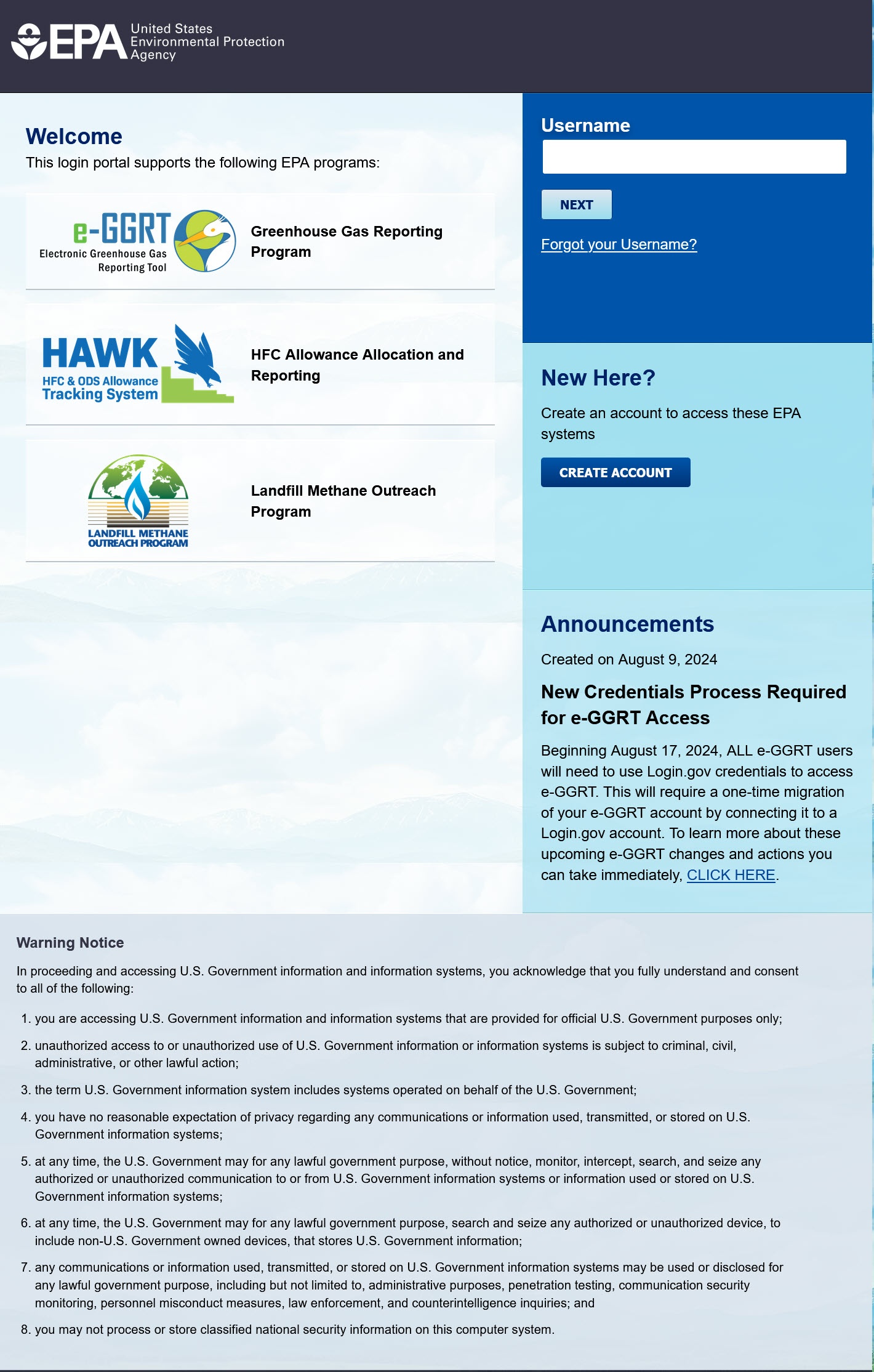
User registration begins at the e-GGRT "Portal" login page.
If you do NOT have an active CDX account
You need to complete full user registration to create a new CDX/e-GGRT account.
- Visit the e-GGRT login page.
- Click the CREATE ACCOUNT button.
- Complete the user registration process.
If you have and active a CDX account
You need to complete a short user registration to connect your CDX account to e-GGRT.
- Visit the e-GGRT login page.
- Enter your Username (your CDX "user id") and click the NEXT button.
- If prompted for your password, enter it.
- Complete the user registration process.
User Roles Following User Registration
e-GGRT uses four different user roles, which are described below:
- Designated Representative (DR) The DR is the individual who is responsible for submitting annual GHG reports and other information on behalf of the owners and operators of the facility/supplier. Every facility or supplier must have one DR. The DR is identified on the Certificate of Representation. Every facility/supplier must submit a complete Certificate of Representation at least 60 days before the reporting deadline. After EPA reviews the appointment of the DR, the DR must log into e-GGRT to accept his or her appointment. The DR may then appoint (or confirm the appointment of) an ADR and one or more Agents, who can act on behalf of the DR. The DR will confirm these actions by signing an electronic Certificate of Representation (for an ADR) or Notice of Delegation (for an Agent). If the facility/supplier is required to report emissions data under 40 CFR 75, e.g. Clean Air Interstate Rule, the DR registered in e-GGRT must be the same as the individual who has been appointed as DR under 40 CFR 75.
- Alternate Designated Representative (ADR) The ADR is an individual who is appointed by the DR to act on his/her behalf. This is optional. A facility or supplier may have one ADR. After EPA reviews the appointment of the ADR, the ADR must log into e-GGRT to accept his/her appointment. The ADR may then appoint (or confirm the appointment of) one or more Agents who can act on his/her behalf.
- Agent An Agent is an individual to whom the DR or ADR has delegated responsibility for submitting annual GHG reports for the facility/supplier. This is optional. A facility or supplier may have many Agents. After the EPA approves the DR/ADR’s appointment of an Agent, the Agent must log in to e-GGRT to accept his/her appointment. Following the Agent’s acceptance, the DR/ADR must then log in to e-GGRT to sign an electronic Notice of Delegation confirming his/her appointment of the Agent.
- Registrar A Registrar is an individual who sets up one or more facilities or suppliers and sends invitations to the DR, ADR or Agent(s). The Registrar is optional. The Registrar role is for the sole purpose of registering a facility or supplier in e-GGRT. The Registrar does not gain access to facility data, cannot edit the facility profile or enter data for annual greenhouse gas (GHG) reports.
Q: Can one user represent/access multiple facilities?
A: Yes; it is not necessary to create multiple account if you represent more than one company/owner/facility. You can use one user account to access all the facility's you represent.
Q: Can multiple users register for a single company or facility?
A: Yes; e-GGRT does not impose any limit on the number of users at a given company or facility. There are limits on certain roles, for example, each facility must have one DR.
Q: When I register under e-GGRT, does that give me access to CDX using the same login credentials?
A: Yes. By definition every e-GGRT user account is a CDX user account. Not every CDX user account is an e-GGRT account.
Q: What happens if I do not complete e-GGRT user registration in one session? Can you start again later?
A: You can start again later, but data you entered before may be lost.